
AI organizes the review.
You approve the code.
Diffthing transforms AI-generated code into a deterministic, prioritized review walkthrough. Every approval remains yours.
Git diffs were built for humans, not agents.
A person edits a few files with intent. An agent rewrites twelve at once — fast, wide, and flat. The unified patch that served hand-written commits collapses under that volume, and review quietly becomes skimming.
Volume outruns attention
Dozens of unrelated hunks land in one patch. Nothing tells you which three actually carry risk, so every line gets the same tired glance.
No structure, no priority
A flat file-ordered list has no notion of what belongs together or what matters most. Related changes scatter; the important ones hide among the trivial.
State resets on every edit
The agent keeps editing while you review. Line numbers shift, your place is lost, and “already looked at that” evaporates. So the change ships half-read.
A deterministic pipeline, not a black box.
The LLM only proposes structure. Code decides what’s risky, verifies the walkthrough covers every hunk exactly once, and falls back to file order if the model misbehaves.
Git Diff
Working-tree changes parsed into hunks, keyed by content hash.
Deterministic Scoring
Impact scored by code — never the model. Risk stays reproducible.
LLM Walkthrough
Your installed agent groups hunks into named scopes and ordered.
Validator
Every hunk covered once, only real hunks referenced — or retry, then fallback.
Review UI
Streamed to your browser over a token-gated, loopback-only WebSocket.
AI organizes.
Humans judge.
The product boundary never moves. AI organizes and executes explicit requests. It never approves, rejects, or scores correctness. Every judgment on the page is yours.
Built for the way agents actually change code.
Start with what matters.
Every session opens with an AI-written focus note and a live progress meter — so you know where the risk sits before you read a single line.
- Narrative framing of the whole change
- Unviewed count and staged progress at a glance
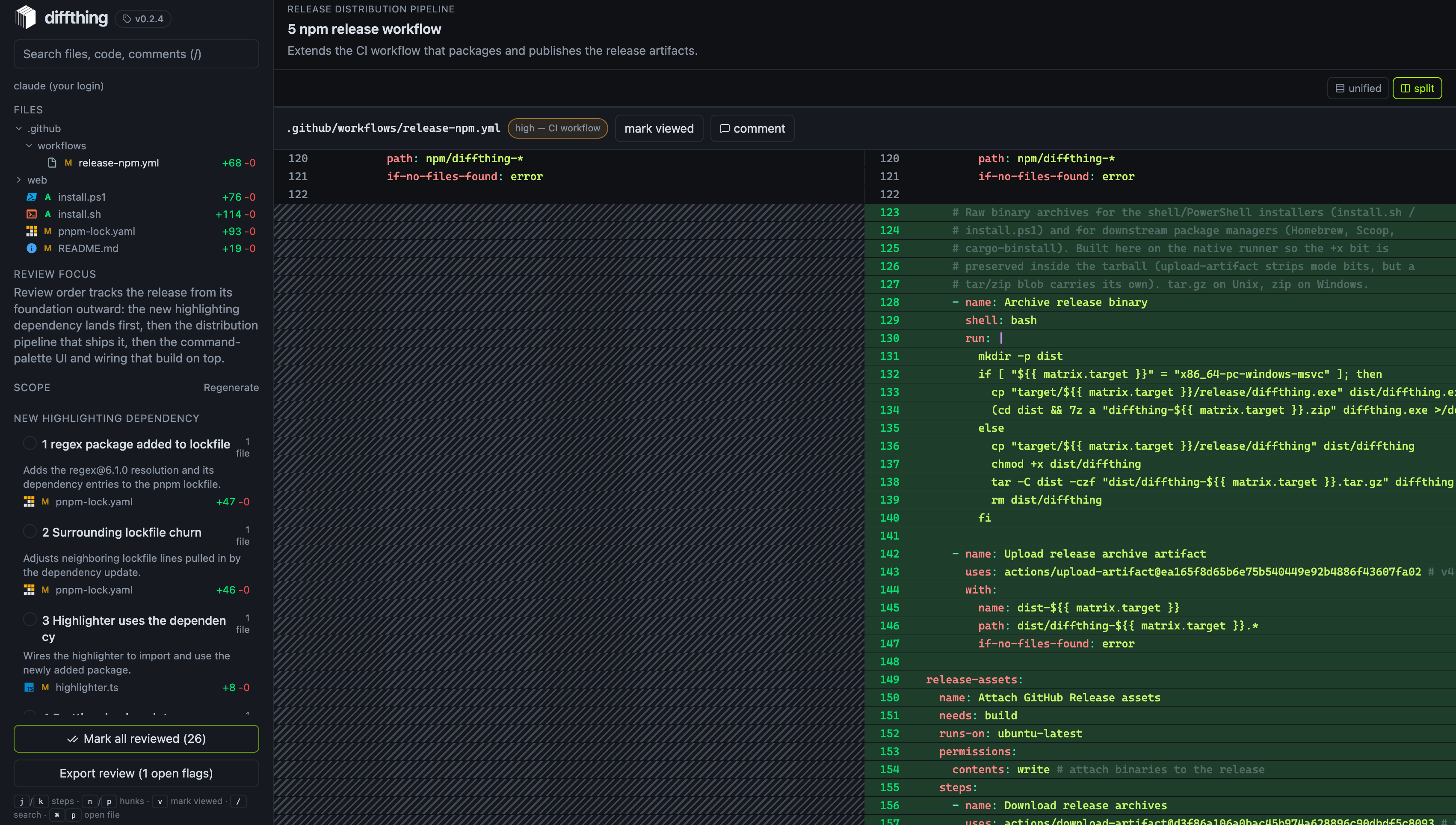
Scopes and steps, ordered by impact.
Related hunks group into named scopes and numbered steps. Deterministic impact chips tell you which step to read first — and which you can skim.
- Keyboard-driven:
j/ksteps,n/phunks - Impact never set by the model
Read it the way you think.
Toggle split or unified, syntax-highlighted, with one-sided rows marked by a diagonal hatch so an empty cell never reads as real, aligned code.
- Per-line comment anchors, GitHub-style
- Highlighting works fully offline under a strict CSP
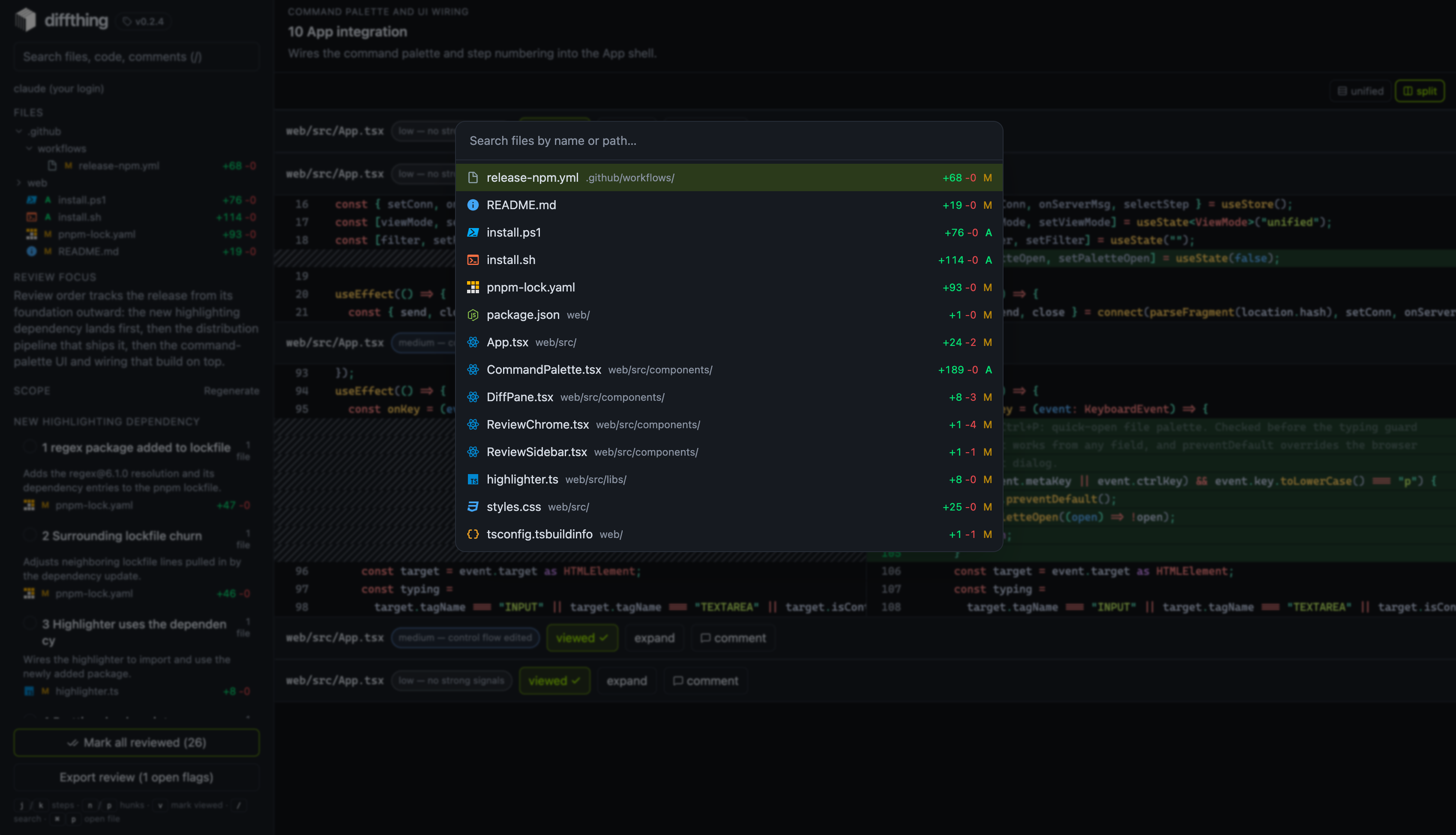
Jump anywhere with ⌘P.
Fuzzy-open any changed file by name or path, with format-aware icons, live keyword highlighting, and change counts. Enter navigates straight to the owning step.
- Ranked basename → path matching
- Full keyboard control, no mouse required
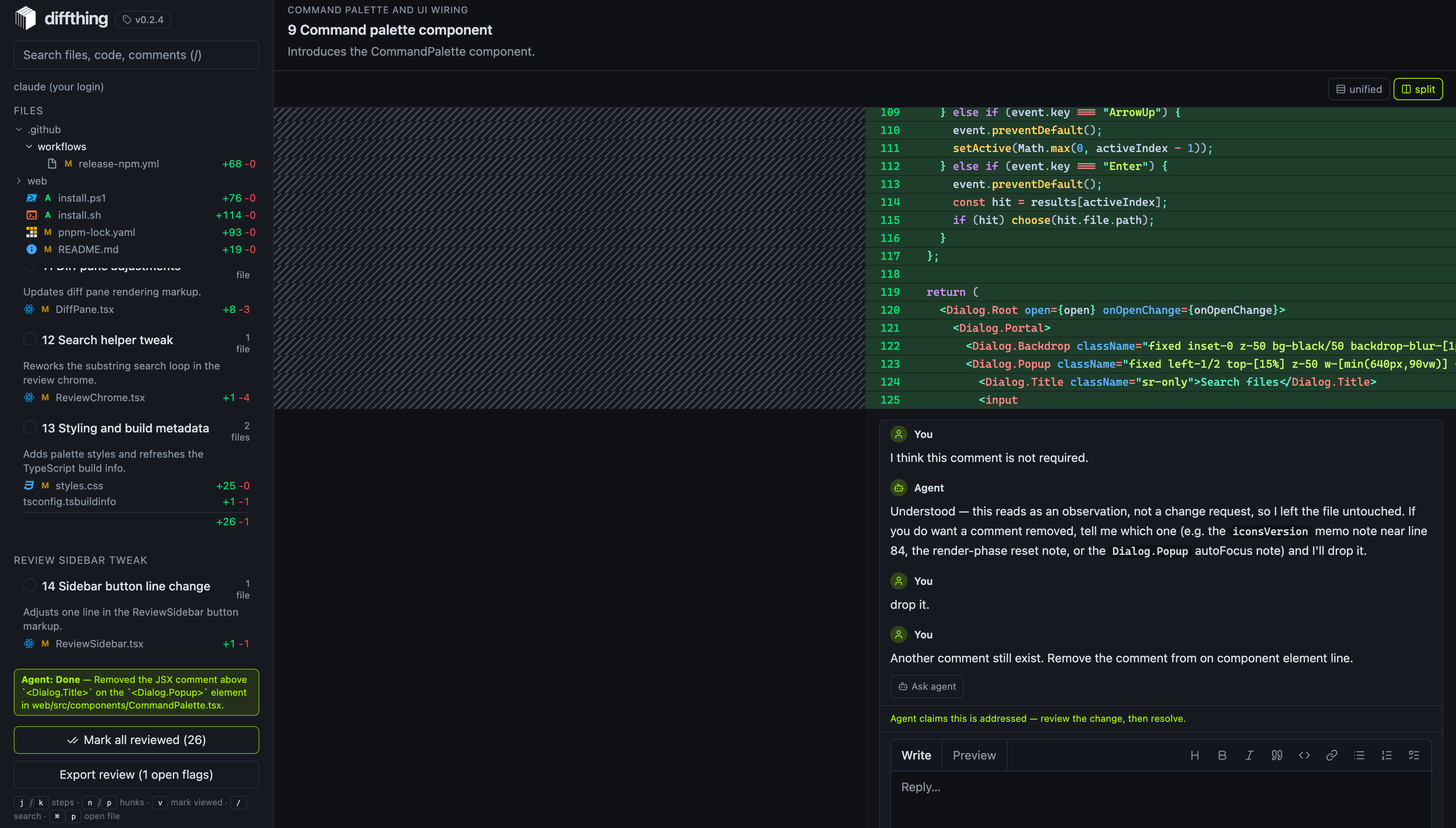
Ask the agent, in place.
Anchor a question or a change request to any hunk and send it to your active CLI. The agent’s reply lands as a thread entry — it never resolves anything on its own.
- Questions get answers with no edits unless you ask
- Out-of-scope edits are rolled back and reported
The Git index is your approval ledger.
Review state is keyed by content hash, so it survives edits and line shifts. A file stages only when all its hunks are viewed and no comment is open.
- Viewed, changed-since-viewed, commented, resolved
- Persists across restarts and sessions
Everything stays on your machine.
No account, no cloud, no telemetry. Diffthing binds to loopback, gates its WebSocket with an ephemeral token, and drives the agents you already trust.
Local-first
A Rust daemon bound to 127.0.0.1 with the review UI embedded. Nothing leaves the host.
No cloud dependency
No sign-in, no server round-trip, no telemetry. Works fully offline with --offline.
Uses installed AI CLIs
Drives the agent already authenticated on your machine. Diffthing never stores a provider key.
Deterministic validation
The model’s walkthrough must pass code checks — cover every hunk once, reference only real ones.
Git index as ledger
Approval is a real Git action: fully reviewed files move to staged. Your VCS is the source of truth.
Human approval required
Agent claims become thread entries, never approvals. Nothing merges on silence.
Flat patch vs. organized review.
Running in one line.
Ship it however you like — npm, a raw binary, or Windows. Then diffthing drives the AI CLI you already have.


Auto-selected from your active session, config, or the first CLI on your PATH. Force one
with --llm. Falls back to deterministic file order if none is
present.
Shipped, and what’s next.
Shipped
Deterministic review core
Scoring, validation, reconciliation, generated wire protocol.
npm distribution & prebuilt binaries
npx diffthing across macOS, Linux, Windows.
Trusted local HTTPS & persistence
Zero-prompt local.diffthing.dev; review state across restarts.
One-line shell installer
Release-asset binaries, checksum-verified install.sh / .ps1.
Command palette
⌘P quick-open with icons and keyword highlighting.
Upcoming
VS Code extension
Open a review from the palette, jump to file:line, comment inline.
Commit & PR workflow
Generate the message from approved walkthrough content — what you signed off on.
Stop-time review gate
When the agent claims done, surface what’s unreviewed — opt-in blocking.
OS-level sandboxing
Repo-only filesystem, network off by default for every dispatch runner.
Repository memory
Learn repo conventions and prior decisions — local, under your control.
Review AI-generated code with confidence.
Your agent writes the code. Diffthing organizes the review. You still own every approval.